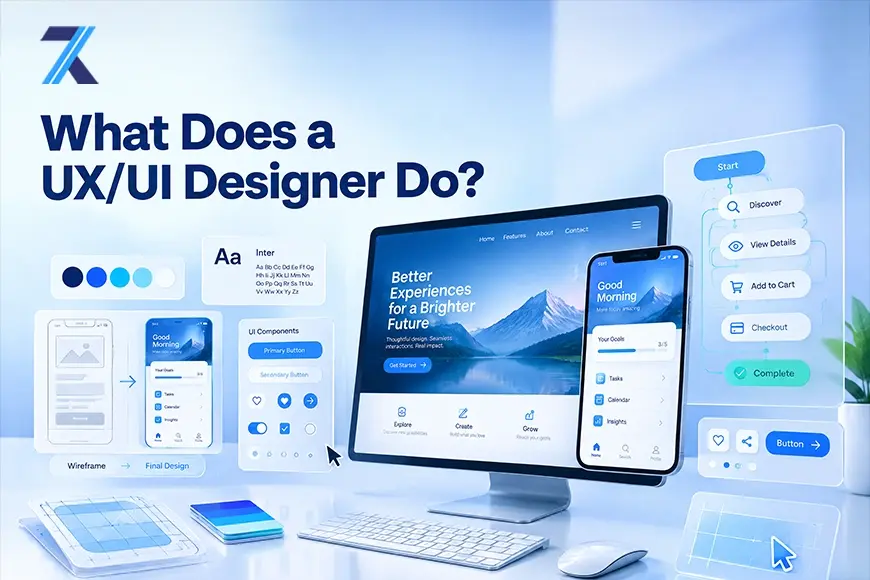
UX and UI: What is the difference?
UX means user experience. It covers the complete experience someone has while using a product or service. A UX designer asks questions such as: Can users find what they need?
Do they understand the next step?
Where do they get stuck?
Can they finish a task quickly?
UX work often includes user research, information architecture, user flows, wireframes, prototypes, and usability testing.
UI means user interface. It refers to the visible and interactive parts of a digital product. UI designers decide how buttons, menus, forms, cards, icons, images, colors, and type should appear and behave.
They create a visual language that makes an interface readable, consistent, and connected to the brand. A well-designed UI does more than look polished. It helps users recognize what they can do and what will happen when they take an action.
A simple way to remember the distinction is this: UX is concerned with the journey, while UI shapes the screen used during that journey. The two overlap. A beautiful interface with a confusing process still creates a poor experience, just as a logical flow can feel frustrating when the interface is hard to read.
What does a UX/UI designer do during a project?
1. Research the users and the problem
Design usually starts before anyone chooses a color or draws a button. The designer first tries to understand the people who will use the product and the problem the product is meant to solve.
This research can include interviews, surveys, observation, support-ticket reviews, analytics, competitor analysis, or usability studies. For example, if a company wants to improve its online checkout, the designer may look at where customers abandon their carts, speak with shoppers, and watch people attempt to complete a purchase.
The purpose is to replace assumptions with evidence. A team may believe users want more features when the real problem is that existing features are difficult to find. Research helps the designer identify needs and frustrations before the team invests heavily in a solution.
2. Organize findings and define the users
After research, designers look for patterns and may create personas, or research-based profiles of important user groups. A persona captures goals, habits, concerns, and experience level. It gives the team a practical way to keep real user needs in view.
Designers may also create a customer journey map showing what a user does and feels at different stages. This can reveal an unnecessary step or a point where better information is needed.
3. Plan the structure and user flow
Once the problem is clearer, the designer plans how information and actions should be organized. This is often called information architecture. It includes the structure of a website or app, its navigation, its content hierarchy, and the relationship between different screens.
The designer may draw a user flow showing the steps needed to complete a task. Consider booking a doctor’s appointment: a user might search for a doctor, choose a time, enter personal information, confirm the appointment, and receive a reminder. Mapping the flow makes it easier to spot repeated steps, confusing choices, or missing information.
This stage is important because people should not have to understand a company’s internal structure to use its product. The product should present information in a way that matches the user’s goal.
4. Create wireframes
Wireframes are simple layouts that show the basic structure of a screen. They usually contain boxes, labels, placeholder text, and basic controls rather than finished colors and images. Their purpose is to answer structural questions early: Where should the main action go?
What information is most important? How should the screen change after a user taps a button?
Because wireframes are quick to change, teams can compare layouts before spending time on visual polish.
5. Build prototypes and high-fidelity designs
A prototype is an interactive model of a product or feature. It may allow someone to click through a sign-up process, open a menu, submit a form, or move between screens. Prototypes help teams experience an idea instead of discussing static pictures.
As the direction becomes clearer, the designer develops high-fidelity screens. These include real typography, color, imagery, spacing, icons, and interface states. The design may also show what happens when a button is hovered over, pressed, disabled, or followed by an error message.
UI designers often create reusable components such as buttons, input fields, navigation bars, and cards. These components form part of a design system. A design system helps a product stay visually consistent as more screens and features are added.
6. Test the design with real users
Designers do not rely only on personal taste or internal opinions. They test whether people can use the design successfully. In a usability test, participants may be asked to complete realistic tasks while the designer observes where they hesitate, make mistakes, or ask questions.
Testing can uncover problems that seem obvious only after someone struggles with them. Perhaps users do not notice the primary button, misunderstand a label, or expect a different result after submitting a form. Designers use these findings to revise the flow, wording, layout, or interaction.
Testing is usually iterative. A team may test a rough prototype, fix the largest issues, test an improved version, and continue refining it. This approach can prevent expensive changes after development has already begun.
7. Collaborate with the wider team
UX/UI design is highly collaborative. Designers work with product managers to understand priorities and business goals. They work with developers to check technical feasibility and explain how the interface should behave.
They may also work with researchers, content writers, marketers, customer-support teams, and accessibility specialists.
A designer’s job is not to hand over a picture and disappear. They explain why a solution was chosen, listen to practical concerns, answer questions, and review the product as it is built. Designs may change because of technical limits, time, regulations, or new research.
What does a typical day look like?
There is no single routine. One day might involve interviewing users or reviewing analytics; another might focus on sketching screens, improving a prototype, or discussing a feature with a developer. Designers also check details such as spacing, contrast, error messages, and mobile layouts.
Much of the work involves communication and iteration. Designers receive feedback, test assumptions, and make changes. It is not simply sitting alone and making attractive screens.
What skills does a UX/UI designer need?
A strong UX/UI designer needs human, creative, analytical, and technical skills. Empathy helps them understand a user’s situation. Research and critical thinking guide decisions, while communication helps them interview users, present ideas, and collaborate.
Practical skills include layout, typography, color, responsive design, interaction design, prototyping, accessibility, and design systems. Tools such as Figma, Sketch, Adobe XD, FigJam, or Miro may support the workflow, but tools are only a means to solve a problem.
Coding is not always required. Many UX/UI designers do not write production code. However, a basic understanding of HTML, CSS, and how front-end development works can make collaboration easier.
It helps a designer understand what is feasible and communicate more clearly with engineers.
Do UX/UI designers need a degree?
There is no single educational path into UX/UI design. Some designers study graphic design, psychology, human-computer interaction, or computer science. Others learn through courses, bootcamps, independent practice, or related work.
A degree can help, but employers also want to see how a candidate thinks and solves problems.
That is why a portfolio matters. Strong case studies explain the original problem, research, design choices, testing, and changes made along the way. Two or three thoughtful projects can communicate more than many unrelated visual samples.
Why the role matters
UX/UI designers help businesses create products that people can understand and use. Good design can reduce errors, improve accessibility, and make important tasks less stressful. It can also build trust through a consistent experience.
Design is not a magic solution, however. Visual polish cannot fix unclear goals, poor content, or a product that solves no real problem. Strong work balances user needs, business priorities, technical reality, and evidence from testing.
Final thoughts
So, what does a UX/UI designer do?
They investigate problems, understand users, organize information, plan journeys, design interfaces, test ideas, and collaborate with the people who build and manage the product. UX/UI design sits between research and execution.
It asks both, “What do people need?” and “How can we make that need easier to meet?”
The role can look different from one company to another. One designer may focus on research and user flows, while another may spend most of the day creating visual systems and interactive screens. But the central goal remains consistent: make products more useful, usable, accessible, and satisfying for the people who depend on them.